How long does SEO in Sydney take, and when can your business expect real results? This is one of the most common questions business owners ask before investing in digital marketing.
Before jumping into the discussion, remember that SEO is not an overnight process. As a matter of fact, it doesn’t happen instantly, but when done properly and strategically, it becomes one of the most reliable, cost-effective, and long-term growth channels.
At Creativus Design, we help businesses build sustainable search visibility in Sydney and beyond with effective SEO strategies that deliver measurable growth. However, most businesses experience early traffic within 3-4 months, stronger traction within 6 months and significant long-term growth within 9-12 months.
Of course, here, we will break down how long SEO takes in Sydney, what realistic growth looks like and what happens each month.
Why does SEO take time?
Search engine optimization (SEO) is a long-term digital marketing strategy primarily due to the huge competition in major metropolitan markets, high search volume for local keywords, and the necessity of creating “E-A-T” (Expertise, Authoritativeness, and Trustworthiness) to satisfy Google’s complex algorithms.
However, other vital reasons of the timelines for SEO in Sydney are:
- Crawling and indexing
- Understand the importance of content
- Algorithm assessment
- Compare your business with your competitors
- Measuring user engagement scores
However, unlike paid advertising, SEO doesn’t happen overnight. Instead, it builds momentum over time. Patience and the right strategy are vital for SEO agency Sydney results in competitive industries.
A Realistic Timeline for SEO in Sydney in 2026
Although we know that SEO success does not happen instantly, with the right strategy and a reliable digital partner, growth occurs faster and more effectively.
Here’s a detailed timeline that an experienced SEO agency in Sydney, like Creativus Design, delivers.
Month 1: Audit, Research and Strategy Creation
The first month is all about sorting all the SEO activities properly.
This includes:
- Full SEO audit
- Search for keywords in Sydney and Greater Sydney
- Competitor analysis
- Fix all technical glitches
- Comprehensive overview of your business profile on Google
- Setting up tracking (GA4, Search Console, conversions)
- Create an SEO roadmap
However, the rankings may not move much during this period, but crucial groundwork will be completed that will affect your SEO timeline 2026 significantly. The fundamental changes made this month, notably, create a platform for stronger growth, higher rankings and better results in the months ahead.
What you may notice:
- Faster website performance
- Better website status
- The idea of the latest SEO trend
- Fix tracking data
Month 2-3: Start On-Page Optimization
This period is the active implementation period, where we implement the strategy built in month 1 on the website.
Tasks include:
- Development of service pages
- Update titles, tags, and meta descriptions
- Internal linking improvements
- Create location pages
- Improving the user experience
- Content Optimization
However, for local businesses in Sydney, this is usually the time when they experience a minor improvement in rankings.
What you may notice:
- Keywords will be ranked in the top 30 or top 20
- Increase your impressions in Google Search Console
- More website clicks
- Some inquiries are starting to appear
Perhaps this is often the stage where, if you ask when the SEO results appear, your SEO partner could answer that the early signs start here.
Month 4-6: Classification is getting more and more momentum
However, SEO campaigns usually begin to show stronger and more measurable progress by 4-6 months. Pages usually start ranking for long-tail keywords, and organic traffic growth is seen slowly but consistently.
Results often include:
- Multiple keywords on page 1
- Increase in organic traffic
- More calls and enquiries
- Increased visibility in local listings
- A stronger presence in Google Maps
4-6 months is vital for a local SEO timeline in Australia. During this period, Creativus Design helps you to translate your SEO investment into clear ROI, with increased leads, stronger conversions, and reduces reliance on paid advertising.
Month 6–12: Consistent Growth and Market Leadership
SEO compounds over time. Reliability builds through backlinks as your site gains authority; it becomes easier to maintain and increase your rankings.
This duration includes:
- Dominant keywords for the basic service
- Ranking for long searches
- Higher conversion rate
- Dependence on paid advertising is reduced
- Greater brand trust
- More repeat traffic
This is where companies start to outperform slower competitors. However, the smart SEO timeline 2026 is not about chasing shortcuts; it’s about building sustainable growth.
What Controls the Speed of SEO Work in Sydney?
Not all companies move at the same speed; there are various factors that affect how quickly results appear.
- Competition level
- Age and authority of the page
- Technical issues
- Quality of content
- The power of local SEO
At Creativus Design we focus on unique SEO strategies backed by experience, transparency and measurable progress.
Signs of Measurable SEO Results?
- SEO success is not just about rankings.
- True success includes:
- More qualified traffic
- More phone calls
- Further request for quotation
- Better lead quality
- Low acquisition costs
- Stronger brand authority
When do SEO results appear largely depends on the experience and strategy of your SEO partner. Therefore, choose SEO agencies wisely.
How Creativus Design helps Sydney businesses grow
At Creativus Design we believe in meticulous SEO. We match each client with a professional SEO and digital marketing consultant who takes the time to understand their business goals, competitors and audience.
Our approach includes:
- Technical SEO
- On-page optimization
- Content strategy
- Local SEO
- Conversion improvements
- Transparent monthly reports
Recognized by the Australian Enterprise Awards and a Business xCellent Award finalist we are proud to dedicatedly support businesses in Sydney Australia New Zealand America and the UK and provide SEO agency Sydney results.
Realistic SEO Expectations in 2026
If any SEO agency promises to get your site ranked in 30 days be aware.
Real SEO result requires:
- 3-4 months for early traction
- 6 months for measurable growth
- 12 months for consistent market strength
However, in 2026 successful SEO is less about shortcuts and more about building trust, relevance, and strong user experience through smart SEO strategies.
Are you ready to grow with SEO?
If you’re searching for the answer of how long does SEO in Sydney take, now is the perfect time to invest in reliable SEO.
At Creativus Design we help businesses grow for long-term success with intelligent transparent SEO strategies.
If you’re ready to strengthen your online presence and grow your business with confidence, book a consultation with Creativus Design today.
Frequently asked questions
- How long does SEO in Sydney take for small businesses?
Small businesses targeting local suburbs often have early wins within 3-4 months and stronger leads within 6 months.
- When will SEO results appear?
It may take 8-12 weeks for impressions and rankings to appear but leads and traffic usually increase after that.
- Does local SEO work faster?
Yes. Local campaigns targeting suburbs or service areas often move faster than general urban keywords.
- Is SEO worth it in 2026?
Definitely. SEO remains one of the highest ROI marketing channels because traffic accumulates over time.
The Problem
Traditionally, WordPress uses a basic out-of-the-box PHP function (wp_mail() / PHP Mailer) to send form notifications. This relies on the website’s hosting server to route the emails.
However, modern, premium email platforms like Microsoft Office 365 and Google Workspace have incredibly strict security protocols. They do not easily allow external applications (like your web server) to “spoof” their domains or send mail through them without complex configurations (like setting up Azure Apps or Workspace SMTP Relays). For many developers and clients, configuring these relays is overly complicated, out of scope, and prone to breaking.
The Solution
Instead of fighting with Office 365 or Google Workspace, the easiest and most reliable method is to use a secondary domain with basic email hosting (such as DirectAdmin) to act as a dedicated SMTP sending server.
For this tutorial, we are using DreamIT Host, managed via DirectAdmin. Clients can request DirectAdmin credentials to access this panel.
- DirectAdmin Login URL: https://cp53.hosting-cloud.net:2222/evo/
Phase 1: Server & Email Setup
Step 1: Create the Sending Email Account
- Access your DirectAdmin panel.
- Navigate to Email Manager > E-mail Accounts.
- Create a new email account specifically for sending website notifications (e.g.,
mail@creativus-sites.com). - Tip: Keep a secure record of these passwords. If an email password is changed here, it must be updated on every connected WordPress site.
Step 2: Verify the Inbox
Before connecting it to a website, ensure the inbox actually works. Log into Webmail (Roundcube) at https://cp53.hosting-cloud.net/roundcube/ and send a quick test email.
Step 3: Gather SMTP Settings
You will need your server’s specific configuration details to connect WordPress. You can generate these via https://mail-settings.hosting-cloud.net/.
You will need the Outgoing Server Settings (SSL), which typically look like this:
- Username:
mail@creativus-sites.com - Password: Your email password
- Server:
mail.creativus-sites.com - Port:
465(Implicit SSL) or587(STARTTLS)
Phase 2: DNS Authentication (The Most Critical Phase)
To ensure your emails aren’t flagged as spam, your DNS records must be configured correctly. Note: If your DNS is hosted externally (e.g., Cloudflare), you must add these records there, not just in DirectAdmin.
Step 4: Configure the Big Three Authenticators
- SPF (Sender Policy Framework): Authorizes your web server to send emails. It is mandatory. (Tool: EasyDMARC SPF Generator).
- DKIM (DomainKeys Identified Mail): Cryptographically signs your emails to prevent tampering.
- Crucial Setup Note: Ensure the TXT record name uses the exact selector provided by your host (e.g.,
x._domainkey) instead of the root domain@.
- Crucial Setup Note: Ensure the TXT record name uses the exact selector provided by your host (e.g.,
- DMARC (Domain-based Message Authentication): Tells receiving servers what to do if an email fails SPF or DKIM. To avoid getting flooded with XML email reports, use a free management tool like Cloudflare DMARC Management or EasyDMARC to absorb the logs.
Phase 3: External Validation
Step 5: Test the Raw SMTP Connection
Before touching WordPress, verify your server is broadcasting correctly.
- Go to SMTP-Test.com.
- Input your credentials from Step 3.
- Check the logs to ensure you receive a
250 OK/Authentication succeededresponse.
Step 6: Test Deliverability & Spam Score
- Go to Mail-Tester.com.
- Send an email from your Webmail (Roundcube) to the provided testing address.
- Aim for a 10/10 score to verify your SPF, DKIM, and DMARC are perfectly aligned.
Phase 4: WordPress Integration
Step 7: Install an SMTP Plugin
By default, WordPress cannot connect to external SMTP servers. You need a dedicated plugin:
- WP Mail SMTP: Highly recommended, user-friendly, great logging (Paid options available).
- FluentSMTP: Powerful and free, but no official support (Best for advanced users).
Step 8: Configure the Plugin
- Select “Other SMTP” as your mailer.
- Input your Host, Port, Username, and Password from Step 3.
Step 9: Enforce “Domain Alignment” (Do Not Skip)
This is where most setups fail. The “From Email” address in your plugin settings must exactly match the domain of the SMTP account you just created.
- Example: If your SMTP account is
mail@creativus-sites.com, your “From Email” must bemail@creativus-sites.com. If you try to send the email “From” the client’s primary domain (e.g.,info@clientdomain.com), Google and Office 365 will flag it as spoofing and block the email. - Check the “Force From Email” box in your plugin settings to ensure forms don’t override this rule.
Step 10: Final Testing & Monitoring
- Use the “Email Test” tab inside your SMTP plugin to send a test email to your own inbox.
- Submit a live form on the website to ensure the routing works seamlessly.
- Ongoing Maintenance: Keep an eye on password changes and occasionally review your DMARC reports to ensure deliverability remains high.
Troubleshooting Common SMTP & Email Deliverability Issues
This is caused by the “Local Routing Trap.” If your website is hosted on the same server as your DNS, the server assumes it is responsible for handling your domain’s email locally. If your actual inboxes are hosted externally (like Office 365 or Google Workspace), your server looks for a local inbox, fails, and throws this error.
The Fix: Go into your hosting control panel (e.g., DirectAdmin or cPanel), find the MX Records / Email Routing section, and uncheck the setting that says “Use this server to handle my e-mails” (or set it to “Remote Mail Exchanger”). This forces the server to route mail out to the internet.
You are likely violating the Domain Alignment rule. For email authentication to pass, the “From Email” address used in your WordPress form/plugin must exactly match the domain of the authenticated SMTP server.
The Fix: If you set up your SMTP server on mail@secondary-domain.com, your WordPress plugin’s “From Email” setting must also be mail@secondary-domain.com. Check the “Force From Email” box in your plugin settings to prevent other plugins from overriding this.
If you use Cloudflare for DNS, its default proxy (the “orange cloud”) only supports HTTP/HTTPS web traffic. It will block standard email ports like 465, 587, and 993.
The Fix: Go to your Cloudflare DNS settings and ensure any A or CNAME records related to email (e.g., mail, smtp, pop) are set to DNS Only (Grey Cloud).
DKIM public keys are very long (often 2048-bit). Standard DNS rules (RFC 1035) dictate that text strings cannot exceed 255 characters. Your DNS provider might automatically split the key into two quoted chunks (e.g., "chunk1" "chunk2"). This is perfectly normal and healthy.
The Fix: If you are getting an invalid error, make sure you didn’t accidentally copy/paste extra spaces between the quotation marks when setting up your DNS. Also, ensure you are testing via a proper WordPress SMTP plugin (like WP Mail SMTP) rather than a raw command-line tool, as raw tools can strip necessary headers and break the cryptographic seal.
You’re Live! (So Why Can’t You Find Your Website?)
Your website is finally live. The design looks sharp, the content is approved, and we’ve hit the launch button.
Naturally, you pull out your phone to check it out. You type in your business name.
Nothing happens. Or even worse, you see your competitors listed where you should be.
I get this phone call often. It is stressful. You just paid for a new digital storefront, and it feels like we built it in the middle of a desert where no one can see it.
Don’t panic. (Seriously, don’t).
There is usually a very simple reason you can’t see it, and a slightly more complex reason why the rest of the world can’t see it just yet.
The #1 Mistake: The Address Bar vs. The Search Bar
This is the most common reason clients “can’t find my website” immediately after launch.
When we say your site is live, we mean the address exists on the internet. Think of it like buying a house. The house is built. It has a street address. But that doesn’t mean the postman knows who lives there yet, and it definitely isn’t in the phone book.
Most people open their browser and type their business name into the middle of the screen (the search box).
That is a search query. You are asking Google to find you. But Google doesn’t know you exist yet because the site is brand new.
Here is the fix:
Look at the very top of your browser. There is a long bar where URLs go.
- Do not type:
Creativus Design - Do type:
creativus-design.com(or whatever your specific URL is).
When you type the full URL, you are driving directly to your house. When you type keywords into Google, you are asking a stranger for directions to a house they have never visited.
“Okay, but why isn’t it on Google yet?”
This is where we need to talk about timelines. Google uses “crawlers” or “spiders.” These are automated bots that scan the internet for new content. But they don’t find everything instantly.
Here is the reality of the timeline:
- Crawling: Google finds your site.
- Indexing: Google files your site in its massive library.
- Ranking: Google decides if your site is good enough to show to people on page one.
It can take anywhere from 3 to 6 months for a new website to be crawled, indexed, and attributed enough authority to show up in search results.
SEO experts often call this the “Sandbox Effect.” Google intentionally holds back new websites to see if they are legitimate or if they are just spam. You have to prove you are sticking around before they trust you with their users.
“Why can’t I find it on my phone?” (The Device Trap)
Sometimes a client tells me, “I can see it on my laptop, but not on my iPhone.”
This usually happens because you are using different search engines without realizing it.
- Your work computer might use Chrome (which searches Google).
- Your new Windows laptop defaults to Edge (which searches Bing).
- Your iPhone uses Safari (which usually searches Google, but can be set to others).
If you can’t find your site, tell us exactly how you are looking for it. Are you on WiFi? Are you on 5G? Which browser?
If you are searching on Bing, but we focused your initial setup on Google, you won’t see the same results. Bing and Google are competitors. They don’t share notes.
The New Frontier: “How do I get on that AI thing?”
This is the new question we get every week. Clients want to show up when someone asks ChatGPT, Gemini, or Siri for a recommendation.
This is distinct from standard SEO. It is starting to be known as GEO (Generative Engine Optimization).
Standard SEO helps here, but it isn’t enough on its own. AI platforms look for authority and citations across the web, not just keywords on your page. If you want to be the answer to an AI’s question, you need a marketing strategy that builds your brand reputation across other websites. The AI needs to see other people talking about you to trust you.
Common Questions (Query Fan-Out)
We use a “Query Fan-Out” method to help you rank. This means we answer specific questions your customers actually ask. Here are the ones we hear most often about new sites.
So, what do we do now?
You have two choices to stop being invisible. You can take the DIY route to speed things up, or you can have us handle it professionally.
Here is what needs to happen next, and why many clients prefer to hand this off to us.
1. Google Business Profile (The Map Listing)
The DIY Route: You can set this up yourself to appear on Google Maps. It involves verifying your address and filling out your business details.
The Risk: It sounds simple, but it is easy to mess up. If you select the wrong primary business category, you won’t appear for the right searches. Worse, if the verification isn’t done exactly right, Google can suspend the listing before it even goes live.
Our DFY Service: We handle the setup, category selection, and verification for you. We ensure you are listed exactly where your customers are looking, without the risk of suspension.
2. Google Search Console (The “Heartbeat” Monitor)
The DIY Route: This is a free tool from Google. You can connect it to your website to track performance and see if Google has “crawled” your site.
The Risk: This is a technical tool. It gives you raw data, not solutions. Many business owners set it up but don’t know how to actually force Google to index a page. They see error warnings and don’t know if it’s a critical failure or a minor glitch.
Our DFY Service: We set this up as part of our SEO packages. We monitor the heartbeat of your site daily. If Google stops crawling, we know immediately and fix the blockage.
3. Ongoing SEO (The Long Game)
The DIY Route: You can write your own blogs, build your own backlinks, and update your page titles.
The Risk: SEO is not a “set and forget” task. It is a full-time job. Google changes its rules constantly (like the recent shift to AI and GEO). To do this effectively, you need a team of writers, developers, and strategists. Doing it alone often leads to burnout with little result.
Our DFY Service: We have the team. We handle the content, the technical updates, and the strategy. You just handle the leads that come in.
Ready to get moving?
We offer all of the above as Done-For-You (DFY) services. Because every business is at a different stage, pricing depends on the scope of work you need.
Your site is live. It’s time to make sure people actually see it.
Would you like to book a quick chat to discuss a tailored SEO package for your new site? Contact Us today.
Your Domain Is a Business Asset
Your domain is not just a web address.
It controls:
- Your website
- Your business email
- Your search visibility
- Your brand identity
If it expires or is transferred incorrectly, your operations can stop.
That is why we treat domain management as a business continuity issue, not an admin task.
Free Automatic Renewal Setup
Some registrars charge extra for automatic renewal. For example, Crazy Domains promotes this as “domain protection”.
We do not.
When we manage a domain, we set up automatic renewal by default at no additional cost. We assume you want your business to continue operating without interruption.
This reduces the risk of accidental expiry and downtime.
Domain Renewal Scams Target Busy Owners
There are companies that send official looking renewal notices by email or post.
These notices often:
- Look like legitimate invoices
- Contain your real domain name
- Use urgent wording
- Request immediate payment
But they are not your registrar.
They rely on business owners being busy or unfamiliar with how domain registration works.
If you pay them, you may unknowingly transfer your domain or pay inflated renewal fees.
The protection against this is simple. Know who actually manages your domain.
How to Check Who Controls Your Domain
If you receive a renewal notice and are unsure, do not rely on the branding in the email.
Perform a WHOIS lookup using authoritative tools:
These tools show the official registrar on record.
If your domain is managed under Synergy Wholesale, you may see something similar to:
NOC:
Handle: synergywholesale
Name: Synergy Wholesale Accreditations Pty Ltd
Organization: Synergy Wholesale Accreditations Pty Ltd
Email: registry-abuse@nexigen.digital
Status: active
Phone: tel:+61383999483
Mailing Address: PO BOX 119, Beaconsfield, VIC, 3807, AU
This confirms the accredited registrar.
If a renewal notice comes from a completely different organisation, that is a warning sign.
We encourage clients to check. Transparency matters.
Why We Chose Synergy Wholesale
We spent significant time researching registrars before selecting one.
Our preferred registrar is Synergy Wholesale because of their Domain Name Recovery tool.
If a business ever loses contact with their service provider, they can search for inaccessible domains. If a Synergy partner manages the domain, they are provided with contact details and recovery options.
This means:
- You are not locked in
- You are not dependent on us
- You can recover control if something goes wrong
Control Should Be Clear, Not Hidden
Every business owner should know:
- Where their domain is registered
- Who the accredited registrar is
- How to verify it
- How to recover it if needed
If you do not know the answer to those questions, you are exposed.
Our role is not just to build websites. It is to make sure the foundations of your online presence are secure and transparent.
That starts with understanding who really controls your domain.
Beyond the Launch: Why Website Maintenance is Your Safety Net
Launching a new website is exciting. It’s the culmination of strategy, design, and collaboration. But once the site is live, a common question arises: “Do I really need a maintenance plan?”
The short answer is: Only if you want your site to stay secure, functional, and profitable.
At Creativus Design, we believe in total transparency regarding how we support your business post-launch. Here is a breakdown of why maintenance matters, what it includes, and how it protects your investment.
1. The Hidden Cost of “Set and Forget”
A website shouldn’t be a statue; it should be a living tool that grows with your business.
One of the biggest risks businesses face isn’t just a technical crash—it’s stagnation. When business owners opt out of maintenance, the website often becomes “static.” Without a support plan in place, it becomes difficult or time-consuming to implement changes based on customer feedback or new marketing insights.
Our maintenance plan ensures your site doesn’t just exist, but evolves. Whether it’s tweaking a layout based on user behavior or updating content to match a new service, we keep your digital presence active and responsive to your market.
2. Your Long-Term Digital Partner
Maintenance isn’t just about software updates; it’s about maintaining a relationship with the team that knows your business best.
Because we built your site, we know every line of code, every plugin, and every design decision. This familiarity allows for:
- Faster Solutions: We can troubleshoot issues significantly faster than an external IT provider who has to “learn” the site from scratch.
- Seamless Growth: When you are ready to add new pages or features, we can implement them quickly and correctly, ensuring nothing breaks in the process.
- Consistent Quality: You retain a dedicated team that is invested in your long-term success, rather than a transactional service provider.
3. It’s Not Just “Keeping the Lights On”
Think of your website like a car. You can drive it off the lot, but if you never change the oil or check the brakes, it will eventually break down.
Our maintenance plan is designed to handle the technical heavy lifting so you don’t have to:
- Security & Updates: We manage WordPress, plugin, and theme updates to close security loopholes before they become problems.
- Uptime Monitoring: We monitor your site 24/7. If it goes down, we know about it and fix it immediately.
- Backups: We run automatic, secure backups. If something catastrophic happens, we have a restore point ready.
4. You Retain Full Ownership
A major fear for many business owners is “vendor lock-in.” We do things differently.
Even when we manage your hosting and maintenance to ensure top-tier performance, you have full admin access to your website and CMS.
- Freedom to Move: You are free to migrate your website to another host or provider at any time.
- No Hidden Walls: There are no restrictions on your ability to manage products, pricing, or content internally.
We want you to stay with us because you value the service and the peace of mind, not because you are stuck.
5. Real Support, Not Just Software
Unlike generic hosting companies where you are just a ticket number, our support is human-led.
- Direct Access: No navigating complex support portals. You can message us directly.
- Minor Edits Included: Need a text change or a small layout tweak? That’s considered within scope. We help keep your content fresh so the presentation is always professional.
- Single Point of Contact: We usually manage the hosting to allow for quick deployment and troubleshooting, giving you one team to call for your entire web presence.
Summary: Peace of Mind
Our goal is simple: We work in the background so you can focus on your business. From cybersecurity scans to fixing broken links, we ensure your digital storefront is always open for business.
Let’s keep your website in shape.
Contact us at info@creativus-design.com or call (02) 9188 4953 to discuss your support needs.
Scaling a business often means wearing multiple hats. One minute you’re the CEO, the next you’re the entire sales department and the customer support team.
As you grow, you likely need generic email addresses like info@, sales@, or support@. The common question we get is: “Do I need to pay for a new user license for every single one of these?”
Usually, the answer is no. You have two primary options within Microsoft 365: an Email Alias or a Shared Mailbox. Making the right choice now prevents workflow headaches later.
| Feature | Email Alias | Shared Mailbox |
|---|---|---|
| Primary Use | One person needing an alternate name | Teams or Departments |
| Cost (License) | Free (Included with user) | Free (Up to 50GB) |
| Inbox Location | Lands in your main inbox | Separate inbox folder |
| “Send As” Capability | Difficult (Requires configuration) | Native (Easy to toggle) |
| Multi-User Access | No (Password sharing required) | Yes (Secure delegation) |
Sending Emails: The Critical Difference
This is the number one pain point where users get stuck. An Alias is primarily designed for receiving email. It is a mask for your primary account.
If you use an alias (e.g., info@ points to jane@), replying to that email is tricky. By default, Outlook will send the reply from jane@. While Microsoft has made updates to allow sending from aliases, it often requires specific configuration and doesn’t always work seamlessly across mobile devices.
A Shared Mailbox solves this instantly. When you reply to an email in a Shared Mailbox, the “From” address automatically defaults to the Shared Mailbox address (info@), ensuring your personal address stays private and your brand looks professional.
Team Access & Security
Do you plan on hiring staff or an assistant? This is the deciding factor.
- Email Alias: Only you can check it. To let someone else check it, you would have to share your Microsoft 365 password, which is a major security risk.
- Shared Mailbox: You can grant access to multiple users. They log in with their own credentials and the Shared Mailbox appears automatically in their Outlook. You can add or remove members without changing passwords.
Licensing and Storage Limits
Both options are budget-friendly, but they function differently regarding storage.
- Email Alias Cost: Free. However, the emails count toward your personal storage limit. If your user license has a 50GB limit and you get heavy traffic on your alias, it eats into your personal space.
- Shared Mailbox Cost: Free. It comes with its own dedicated 50GB of storage. It does not require a separate license unless the mailbox exceeds 50GB or you need an Online Archive.
Mobile & Usability
Aliases are superior for mobile simplicity. Because the emails land in your main inbox, they arrive on your phone immediately without any extra setup.
Shared Mailboxes require a few extra steps on mobile. You typically need to use the official Outlook Mobile App and “Add a Shared Mailbox” to view it. It is distinct from your main inbox, meaning you have to toggle over to check it.
When to Use Which (Scenarios)
Still unsure? Here are three common scenarios:
- Scenario A: “I just changed my name.”
Verdict: Alias. If you change from Jane Smith to Jane Doe, keep the old address as an alias so you don’t miss emails. - Scenario B: “We just hired a receptionist.”
Verdict: Shared Mailbox. Usereception@so both you and the new hire can see incoming inquiries, but they can’t see your private CEO emails. - Scenario C: “I need a throwaway address for newsletters.”
Verdict: Alias. Createnewsletters@to filter spam easily, then delete the alias when you’re done.
How to Convert an Alias to a Shared Mailbox
Did you start with an alias and now realize you need a Shared Mailbox? This is a very common transition as businesses grow. Here is the process:
- Remove the Alias: Go to the Microsoft 365 Admin Center, select the user, and remove the
info@alias. (This frees up the address). - Create the Shared Mailbox: Go to Teams & groups > Shared mailboxes and create a new mailbox using that same
info@address. - Add Members: Click on the new mailbox and select “Manage members” to give yourself (and others) access.
Note: It may take up to 60 minutes for the change to propagate through the system.
Shared Mailbox vs. Distribution Lists
Sometimes you don’t need an inbox at all. If you just want an email sent to team@ to instantly forward a copy to everyone’s personal inbox, you want a Distribution List (or Microsoft 365 Group). Unlike a Shared Mailbox, a Distribution List doesn’t store email history; it just blasts it out to the list.
Frequently Asked Questions
Can external users access a Shared Mailbox?
No. Shared Mailboxes are for internal users within your tenant. External users would need a Guest account, or you should use a Microsoft 365 Group.
How many aliases can I have?
Microsoft 365 allows up to 400 aliases per user, though managing that many would be chaotic.
Do I need a license to access a Shared Mailbox?
Yes, the person accessing the mailbox needs a customized Exchange Online license (Standard, Business Basic, etc.), but the Shared Mailbox itself does not require a license unless the mailbox size exceeds 50GB.
We Handle The Tech So You Don’t Have To
If the idea of configuring DNS records, navigating the Microsoft 365 admin center, or setting up permissions sounds like a headache, you aren’t alone.
Technical setup is a standard part of our Website Maintenance packages. We believe you should focus on replying to your leads, not wrestling with email servers.
Website Maintenance That Just Works
We keep your website and business email running smoothly. So you don’t have to worry about downtime, bugs, or broken pages. Our maintenance plan covers the essentials with fast support and no tech stress. Your plan also includes complimentary domain and hosting, delivering full peace of mind in one bundled service.
What’s Included
- Stay Online, Always: 24/7 monitoring, hosting health checks, and quick issue resolution.
- Regular Backups: Automatic secure backups and emergency restoration.
- Fast Fixes: Fix broken links, 404 errors, and minor content updates.
- Security & Updates: WordPress, plugin, and theme updates managed for you.
Let’s Keep Your Website in Shape
To get started, email info@creativus-design.com or call (02) 9188 4953.
Technical Resources & Further Reading:
- Microsoft Community: Shared Mailbox vs Email Alias
- Spiceworks: Best practices for O365 Aliases vs Shared Mailboxes
When Your Brand Can’t Keep Up: A Story of Business Evolution
Businesses are never static. They are living, breathing entities that grow, pivot, and evolve. You start with one brilliant idea, and through hard work and experience, it blossoms into something bigger, deeper, and more dynamic than you ever imagined. Your team expands, your services mature, and your ambition reaches for new horizons.
But what happens when your brand and website, the very tools meant to champion your success, are still telling the story of the business you used to be?
This is a quiet, frustrating problem many successful business owners face. It’s the awkward feeling of sending a potential client to a website that doesn’t mention your most exciting new service. It’s the need to constantly explain that your work is “so much more than what you see online.” This gap between the business you run today and the brand you built yesterday is more than just a minor inconvenience; it’s a barrier to growth. It confuses your audience, dilutes your message, and can make you feel disconnected from the very business you’ve poured your heart into.
If this feeling is familiar, you aren’t alone. We recently guided a client through this exact journey, helping them close the gap and build a brand that truly reflected their incredible evolution.
A Client’s Story: The Price of a Mismatched Brand
Our client came to us with a solid reputation. They were a well-regarded healthcare consultancy known for their strategic insights and professionalism. By all traditional measures, they were successful. But behind the scenes, a powerful transformation had occurred.
Their work had expanded far beyond the formal consultancy model. They were now running intimate workshops, delivering inspiring keynote speeches, coaching individuals and teams on purpose and energy, and writing prolifically about lifestyle balance. Their business had become more personal, more dynamic, and infinitely more holistic.
Their website, however, remained a digital fossil of their old identity. It was corporate, structured, and spoke only of “consultancy.” It had no space for their workshops, no mention of their speaking engagements, and no soul that reflected the transformative, people-focused work they now did.
This disconnect was causing tangible problems. The right clients were struggling to find them for the right reasons. They were missing opportunities because their online presence failed to capture the full scope of their value. The business owner felt a growing sense of frustration, knowing that her digital front door was no longer a true reflection of the vibrant, life-changing work happening inside.
The Journey to Clarity: Our Process in Action
When they reached out, they knew they needed more than just a “prettier website.” They needed clarity. They needed a brand that could finally keep pace with their growth. To get there, we embarked on a collaborative journey guided by our dedicated process.
1. Listen & 2. Understand
The first step is never about design; it’s about discovery. We started by simply listening. In our initial sessions, we moved past the surface-level problem (“we need a new website”) to explore the deeper motivations. We listened to the story of their evolution, the passion behind their new services, and the frustration of feeling misunderstood by their own marketing. This allowed us to understand the core of their new identity and the true goals they wanted to achieve. The target wasn’t just a new design; it was a feeling of alignment and confident growth.
3. Research & 4. Strategise
With a deep understanding of their journey, we moved into research. We analysed their new target audience: the individuals seeking transformation, the teams looking for a motivational spark. We identified what was working in their current brand and, more importantly, what was missing. This wasn’t about ticking boxes; it was about finding the unique thread that connected all their new offerings. This research phase fed directly into our ability to strategise. We built a clear roadmap that aligned their new, energetic identity with concrete actions. The strategy outlined a new brand voice, a visual direction, and a website structure that would give every part of their business a home.
5. Develop & 6. Test
This is where the new brand began to take shape. The develop phase is an exciting, creative collaboration. We crafted a new visual identity that replaced the cold corporate feel with warmth, energy, and approachability. The brand’s voice shifted from formal to direct and relatable. As we built the website, we didn’t disappear for weeks and return with a “big reveal.” The process was built on a continuous loop of testing and feedback. We believe in involving our clients at every step. They tested layouts, read over copy, and ensured the site we were building felt completely authentic to them.
7. Refine & 8. Launch
The feedback gathered during testing allowed us to refine every element, from button placement to headline copy. This iterative process ensures the final product isn’t just something we are proud of, but something the client is deeply connected to and confident in. The launch was more than just a technical go-live. It was the confident unveiling of a brand that was finally telling the right story.
The Transformation: A Brand Reborn
The result was more than a new website; it was a business reborn. The new platform gave every service a clear and compelling space. The homepage no longer just listed services; it introduced a guide, a leader with a powerful point of view and the tools to help others.
The impact was immediate. Conversations with potential clients became easier because they already understood the full value proposition. The right kinds of inquiries started flowing in, from people who felt seen and understood by the website. Most importantly, the business owner felt a renewed sense of pride and energy. She was finally excited to share her website, knowing it was a powerful and accurate reflection of her work.
9. Grow
Our partnership doesn’t end at launch. A website is a tool for growth, and we believe in helping our clients use it effectively. We grow with our clients, staying involved to help them leverage their new platform, analyse its performance, and continue to improve it as their business continues its journey.
Does This Story Sound Familiar?
If this client’s story resonates with you, take a moment to reflect on your own business. Do you feel a growing gap between the work that excites you and the brand you present to the world? A brand isn’t meant to be a historical document. It should be a living, breathing celebration of who you are now and where you are headed.
You don’t need a finished blueprint to start the conversation. You just need to acknowledge that your story has changed. We’re here to help you tell it.
In today’s ever-changing business landscape, uncertainty is the only constant. Trends emerge and disappear rapidly, consumer expectations shift overnight, and what worked yesterday might not work tomorrow. For businesses, this can feel overwhelming – but it doesn’t have to be.
At Creativus Design, we believe that branding is more than just a logo or a tagline. It’s a strategic compass that guides your business through market changes, political upheavals, and economic shifts. It’s how you stay anchored, make better decisions, and attract clients who align with your values and vision.
Why Branding Matters Now More Than Ever
In the past few years, the world has seen unprecedented changes. From the rise of AI and automation to shifts in consumer behavior driven by social issues, businesses need to stay agile. The key to navigating these changes? A well-defined brand.
Think of your brand as a decision-making tool. It’s not just about visuals – it’s about the values you stand for, the vision you have for the future, and the voice you use to communicate with your audience. These four pillars – Visuals, Values, Vision, and Voice – work together to help you make strategic decisions that not only keep you on course but also position your business as a leader in your industry.
Real-World Examples
- Political Impact: In the recent Australian elections, political parties demonstrated the power of strong branding. Whether it was the unmistakable red of the Labor Party or the blue of the Liberal Party, these brands were instantly recognizable. For businesses, the lesson is clear – consistency in branding fosters trust and recognition.
- Economic Resilience: Apple has consistently maintained its premium positioning regardless of economic downturns. By reinforcing its brand as the leader in innovative and user-friendly tech, it keeps customers loyal, even when budgets are tight. Is your brand strong enough to weather economic storms?
- Social Issues: Nike made waves by embracing marriage equality and social justice issues. They didn’t just slap a logo on a product – they tied their brand values to a larger cause, resonating with their audience on a deeper level. What social issues align with your brand’s values?
Using Branding as a Decision-Making Tool
When you’re faced with a tough decision, revisit your brand’s core elements:
- Values: Does this align with what your brand stands for?
- Vision: Is this moving you closer to your long-term goals?
- Voice: Are you communicating this in a way that aligns with your brand’s personality?
- Visuals: Is the messaging consistent with your established brand identity?
At Creativus Design, we don’t just build websites and marketing strategies – we build brands that make decision-making easier. Whether it’s crafting compelling visuals, clarifying your brand voice, or helping you articulate your values, we’re here to ensure every pixel, every word, and every interaction aligns with the brand you want to become.
Ready to take control of your brand and turn it into a powerful decision-making tool? Contact us today to get started.
Understanding SEO Misconceptions

I’m calling it this because that’s what someone called it recently.
They told me they understand other forms of marketing, but SEO? They’re not sure how it works. And the truth is, that’s the same for most people.
The SEO industry is rife with scam artists who take advantage of these SEO misconceptions. They guarantee results they can’t deliver, and because of that, SEO has gotten a bad name.
But the reality is, SEO isn’t some kind of dark magic or mysterious force.
It’s a service like any other—it requires hard work. Good SEO companies might be reluctant to share their exact strategies (because competitors would steal them), but they can still prove their work.
How Can You Tell If SEO Is Working?
One of the biggest SEO misconceptions is that it’s all about ranking #1 overnight. The truth? SEO success is measured through consistent improvement, not quick wins.
The best way to judge SEO isn’t by empty promises—it’s by results and the actions taken to achieve them.
Search engines publish guides on the best way to present websites so they can be easily found. Yet, many people believe SEO is about gaming the system rather than following best practices.
There’s a whole host of technical elements (foundational SEO work) that need to be done to perform SEO effectively—and that’s where the real magic happens.
The Three Pillars of SEO
Many SEO misconceptions come from not understanding how SEO is structured. It’s broken into three main parts:
1. On-Page SEO (Optimizing Your Content)
One common SEO misconception is that simply having good content is enough. That’s not true—it needs to be structured for both search engines and humans. At Creativus Design, when we produce content, our content writer works closely with the SEO strategist to ensure that each piece is not just written well, but also connects seamlessly with other parts of the website. Content doesn’t exist in isolation—it needs to be linked effectively across your site to create a clear structure that enhances user experience and search visibility.
- Page Content – Your core pages (like services, products, and homepage) need to be structured properly and optimized for relevant searches.
- Blog Content – Regular content that targets keywords and answers questions that people are searching for.
- Headings & Formatting – Using proper titles, subheadings, and structured content to make pages easier to read for both humans and Google.
👉 On-page SEO is the most visible part because you can literally see the changes happening.
At Creativus Design, we know that great SEO is a team effort, and that includes you—the client. A good SEO company will always ask for client input and review to ensure that the strategy aligns with the business goals.
We want to hear your ideas when it comes to content and are always happy to have a chat. Whether it’s an article topic, a social media post, or even just a rough concept, we welcome any inspiration you have to help us create content that truly reflects your brand.
2. Off-Page SEO (Building Authority Online)
In traditional business, authority is your reputation—it’s built through word-of-mouth referrals, industry awards, media coverage, collaborations, and client testimonials. These signals show that a business is trusted and recognized within its industry.
In SEO, authority works in a similar way. When search engines first became a thing, they used an algorithm called PageRank, which was inspired by academia. In research papers, the more times a source is cited, the more authoritative it is considered. Search engines took that same concept and applied it to websites—the more quality references and backlinks a site has, the more authoritative it appears. Most people are familiar with this idea, even if they don’t realize it.
For us as SEO professionals, we care about both—your real-world reputation and your online presence. We want to leverage everything you’ve built and everything you’re known for and give it as signals to search engines.
Another SEO misconception is that you just need to optimize your own website, and the rankings will come. Wrong.
- Backlinks – When other reputable sites link to yours, it signals trust and authority to search engines.
- Social Signals – Google pays attention to how people interact with your content on social media.
- Brand Mentions – Even if there’s no link, just having your brand name mentioned online helps.
3. Technical SEO (Ensuring Your Site Runs Smoothly)
A major SEO misconception is that SEO is just content and backlinks. In reality, technical SEO makes sure Google can actually crawl, index, and understand your website properly.
- Site Speed – A slow website loses visitors and ranks lower.
- Mobile Optimization – If your site doesn’t work well on mobile, you’re missing out on rankings and traffic.
- Fixing Errors – Google Search Console will often flag issues like broken pages or indexing errors.
👉 Technical SEO often requires a developer who understands search engines guidelines (e.g Google Developer Docs) because some fixes involve coding and server settings.
Final Thoughts: SEO Works Best with Open Communication
SEO is built on three fundamental pillars: On-Page SEO, Off-Page SEO, and Technical SEO. Each of these elements plays a crucial role in ensuring a website ranks well and continues to grow its presence in search results. However, success in SEO isn’t just about applying these fundamentals—it’s about having an open line of communication with your SEO team.
A strong partnership with your SEO agency means regular updates, transparency in strategy, and collaboration on content ideas. At Creativus Design, we ensure that you are part of the process. We believe that keeping our clients informed and engaged leads to the best possible results. Whether it’s discussing keyword priorities, reviewing content drafts, or refining link-building strategies, ongoing communication is key to long-term success.
The best way to avoid getting ripped off? Work with people who can explain what they’re doing, prove their results, and keep you involved every step of the way.
Want to demystify SEO for your business? Let’s chat. 🚀
Website as Salesperson: How to Make Your Website Work for You 24/7
Your website is more than just a digital storefront—it’s your best salesperson. Unlike a human sales team, it doesn’t take breaks, sleep, or ask for a paycheck. Instead, it works 24/7 to generate leads, close sales, and support your customers.
But just having a website isn’t enough. If your website isn’t actively driving conversions, you could be losing out on potential customers. The key is to optimize your website so it works like a salesperson—constantly bringing in traffic, engaging visitors, and driving revenue.
In this guide, you’ll learn six powerful strategies to turn your website into your best-performing sales tool.
1. Improve Website Experience for More Conversions
A salesperson needs to communicate clearly and efficiently. Your website should do the same by being:
- ✅ Easy to navigate – Visitors should find information effortlessly.
- ✅ Mobile-friendly – Over 60% of web traffic comes from mobile devices.
- ✅ Fast-loading – A delay of just one second can reduce conversions by 7%.
A slow, confusing website turns away potential customers. To make your website work for you 24/7, it must be user-friendly and optimized for conversions.
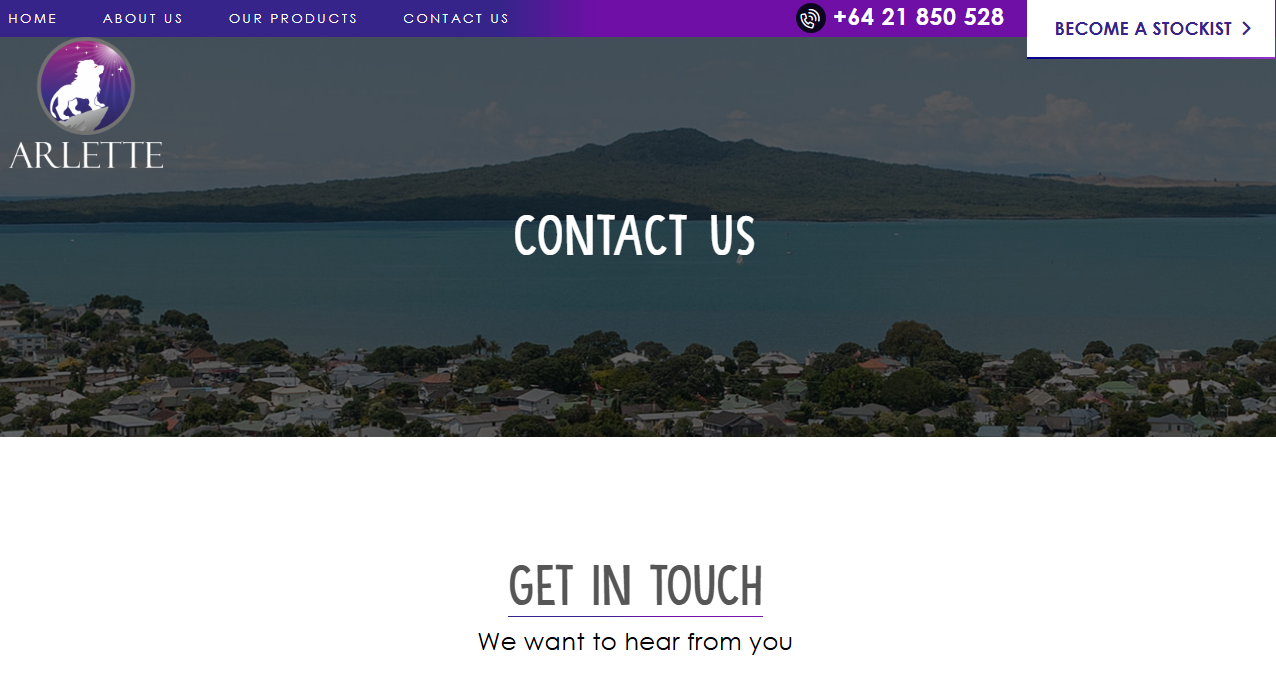
Example: Arlette Group
Arlette Group optimized their website with a clear call-to-action (CTA):
➡️ “Become a Stockist” – This streamlined their onboarding process and increased sign-ups.
2. Automate Your Website to Save Time and Increase Sales
Automation allows businesses to:
- 🔹 Save time – Reduce manual work and human errors.
- 🔹 Improve efficiency – Automate follow-ups and engagement.
- 🔹 Generate leads 24/7 – No need for round-the-clock staff.
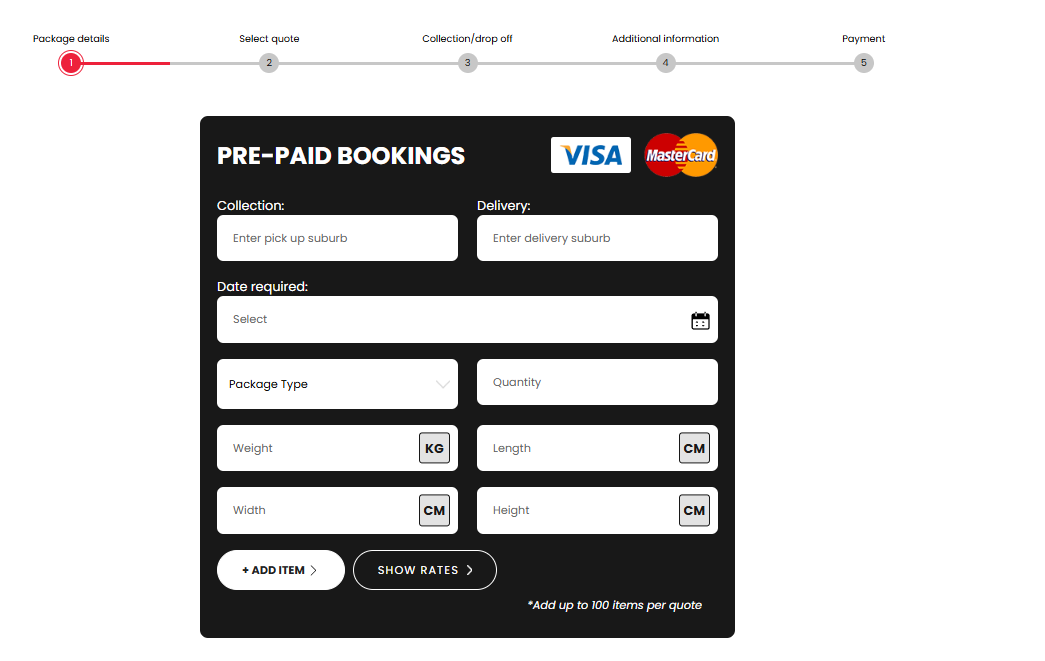
Example: Freight Save
Freight Save integrated a self-service booking tool that allows customers to schedule pickups anytime. This eliminated delays and increased efficiency.
3. Optimize Your Website for Online Transactions
A great salesperson removes barriers to purchase. Your website should make it easy for customers to buy by offering:
- ✔️ Hassle-free payment options – Credit cards, PayPal, Apple Pay, etc.
- ✔️ Simple checkout processes – Reduce unnecessary steps.
- ✔️ Instant order confirmations – Build trust with buyers.
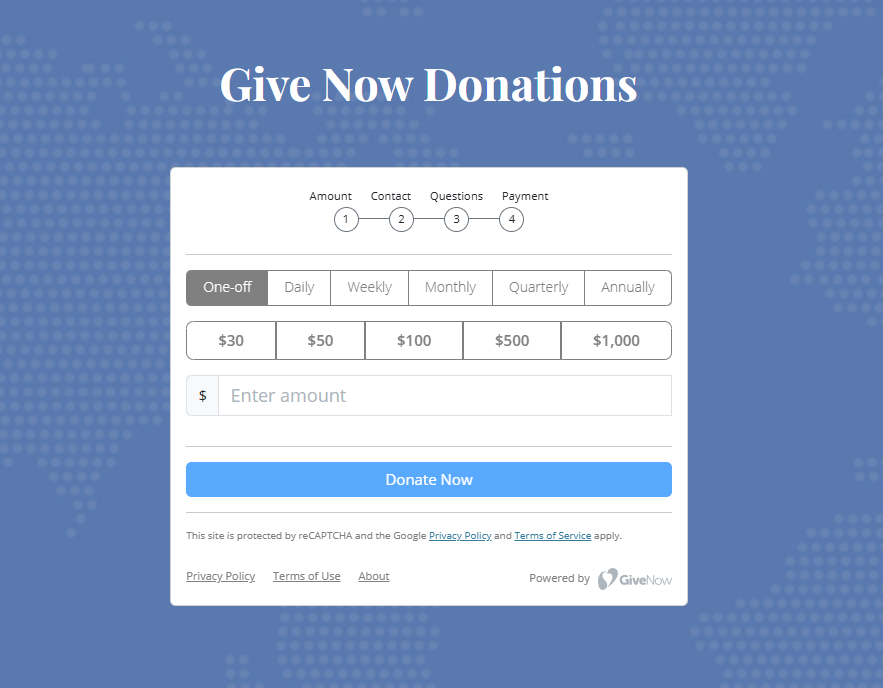
Example: Open Hands Community Care
Open Hands optimized their donation system for frictionless contributions, resulting in:
- ✔️ Increased donations
- ✔️ A seamless payment process
4. Customize Your Career Page for Better Hiring
A high-performing business needs the right team. Your website can help by attracting top talent.
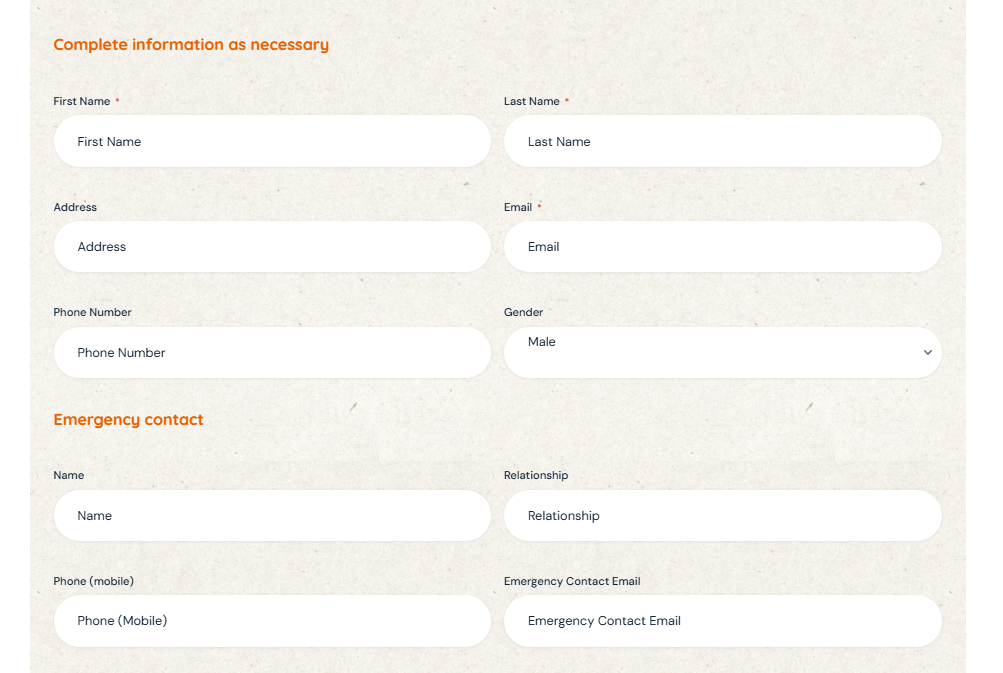
Example: Pivotal Connect
Pivotal Connect revamped their career page to:
- ✔️ Filter unqualified applicants
- ✔️ Ensure compliance with industry hiring standards
5. Use Data & Analytics to Continuously Improve
Just like salespeople track performance, your website should do the same using:
- 📊 Google Analytics – Monitor traffic, bounce rate, and user behavior.
- 📊 Heatmaps – See how visitors interact with your pages.
- 📊 A/B Testing – Experiment with different layouts, CTAs, and headlines.
6. Create Strong Calls-to-Action (CTAs) to Close More Sales
To maximize conversions, use:
✔️ Clear CTA text – Instead of “Submit”, try “Get Started Now“.
✔️ Contrasting button colors – Make CTAs stand out.
✔️ Multiple CTAs throughout the page – Guide users step by step.
Conclusion: Make Your Website Work for You 24/7
Your website shouldn’t just exist—it should work hard for your business. By implementing these strategies, your site can become a 24/7 salesperson, continuously attracting leads and closing sales.